
CONNECT MULTIPLE SCREENS TO ONE VIDEO SOURCE
Short Run Setup - HDMI Cables
Materials Needed
- HDMI Splitter: Ensure it has enough output ports for all screens.
- HDMI Cables: Choose lengths that suit your setup needs.
- HDMI over Ethernet Extenders: Ideal for long-distance connections.
- Displays/Monitors: Ensure they have HDMI input ports.
- Video Source: e.g., PlaylistToday App or Media Player.
Step 1
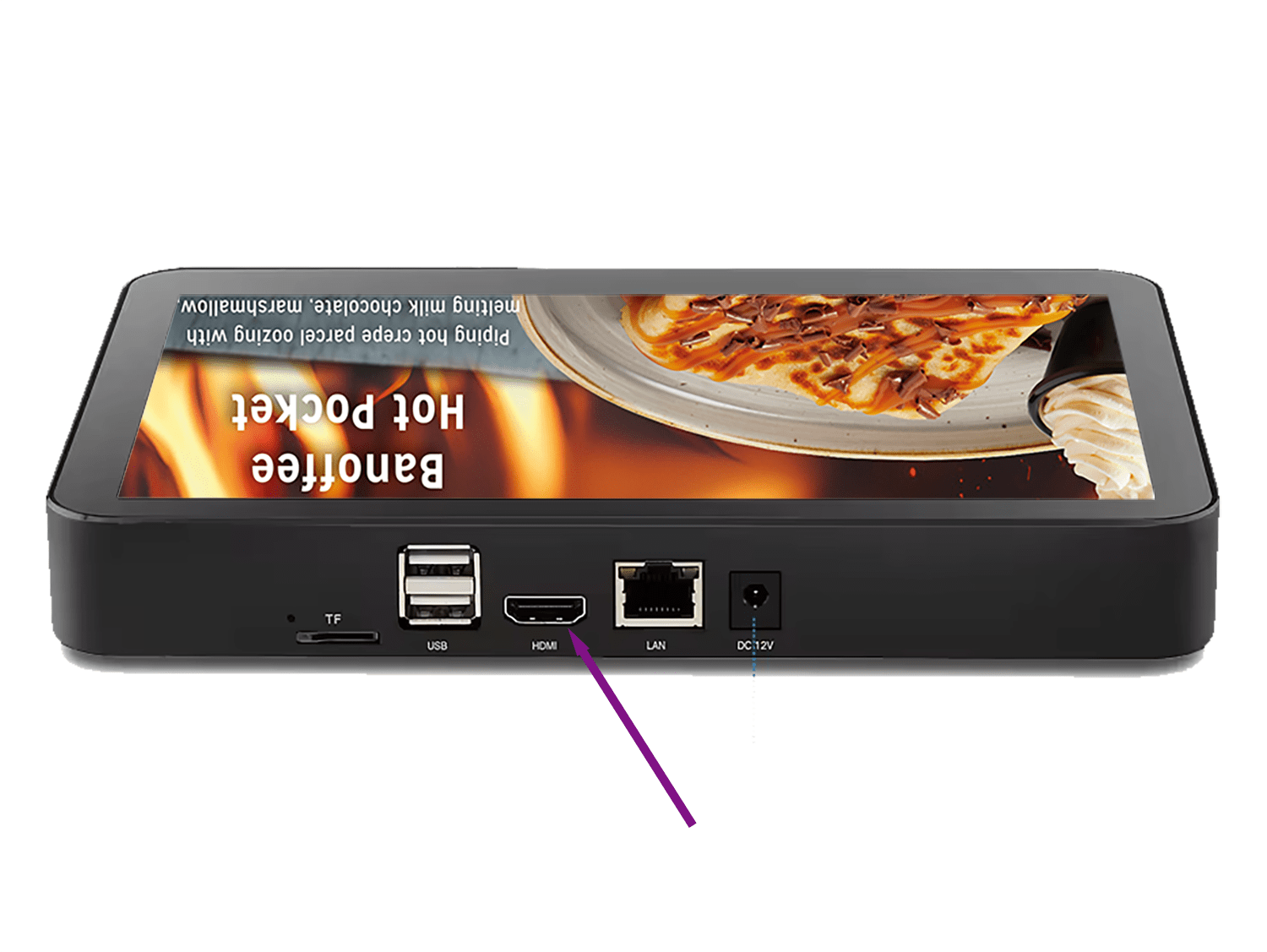
Connect Video Source
Begin by connecting your video source, such as the PlaylistToday Media Player, to the HDMI splitter. Use a high-quality HDMI cable for optimal signal transmission.
Step 2
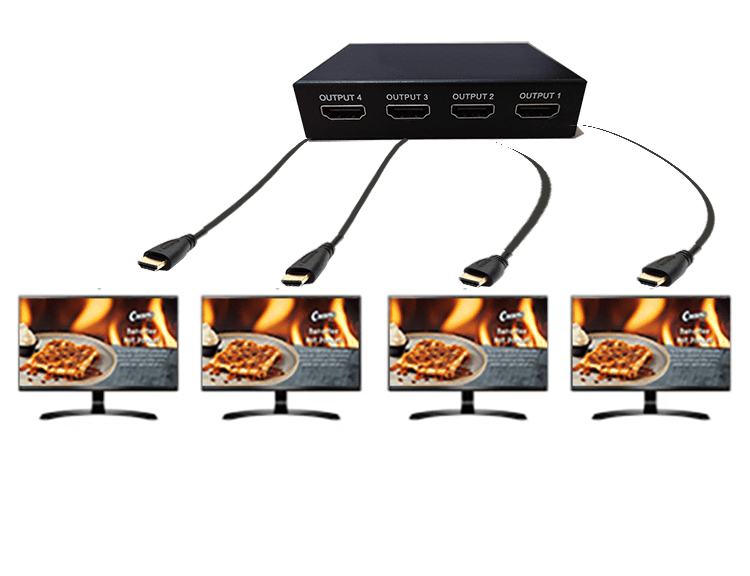
Link Splitter to Displays
Attach an HDMI cable from each output port on the splitter to the HDMI input on each of your screens. Double-check that all connections are secure.
Step 3
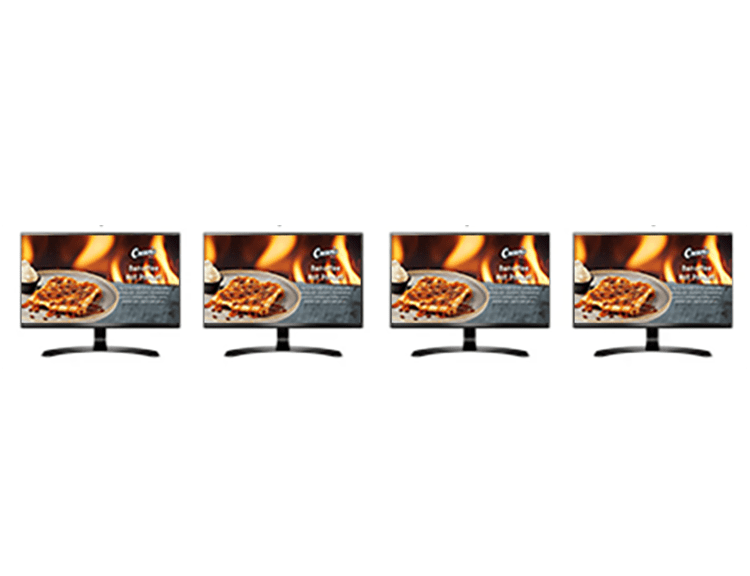
Power and Configure Devices
Ensure your HDMI splitter is powered, if necessary, and turn on all connected devices. Use the remote or on-screen menu to select the correct HDMI input on each display.
Longer Run Setup - With HDMI over Ethernet
Step 1
Connect Video Source
Begin by connecting your video source, such as the PlaylistToday Media Player, to the HDMI splitter. Use a high-quality HDMI cable for optimal signal transmission.
Step 2
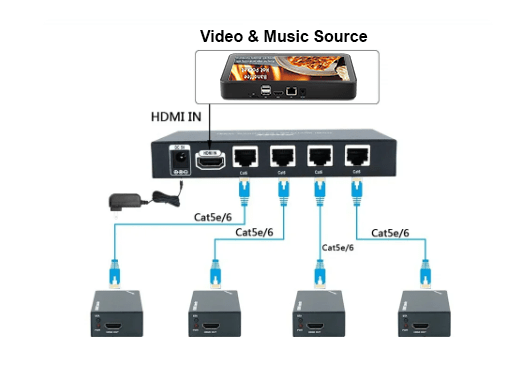
HDMI Over Ethernet Extenders
To set up your HDMI over Ethernet system, simply connect an HDMI cable from each Output port on the splitter to the Input port of an HDMI over Ethernet transmitter, referred to as Tx. Next, take Cat5e or Cat6 Ethernet cables and link each transmitter Tx to a receiver Rx, which should be placed close to each display.
Step 3
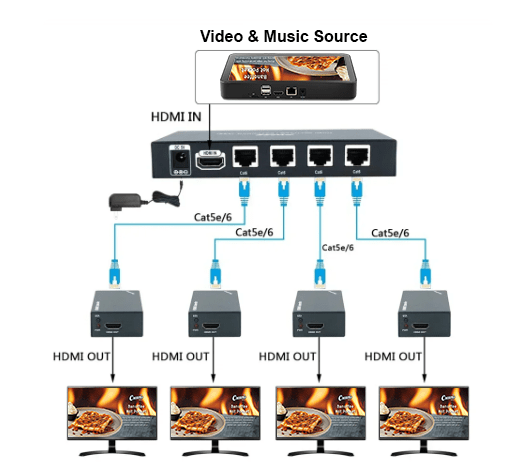
Connect Receivers to Displays
Connect the HDMI output port on each receiver to the HDMI input port on each display to ensure they communicate properly.
Setup Success Tips
Optimizing Your Display Setup
For a seamless setup, ensure that all HDMI cables are of adequate length and quality. Consider using cables with built-in boosters for longer distances to maintain signal strength.
Always verify that all displays support the same resolution to prevent compatibility issues. A high-quality HDMI splitter can significantly enhance video quality and signal distribution.
If you encounter any display issues, double-check all cable connections and input settings. Make sure both the splitter and the displays are compatible with the required resolution.
